
...
Categories Electrical, Faulty wiring, Industrial, Lighting, Renovation, Repairing, Tripping

Sockets & switches

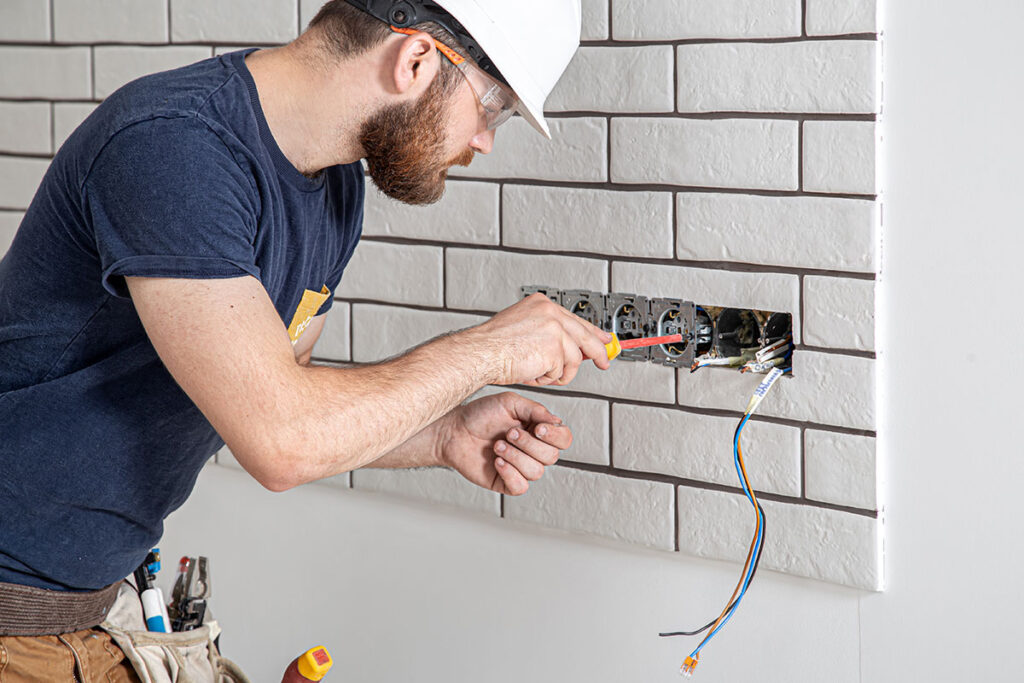
Sockets and switches are essential components in every home, yet they often go unnoticed until something goes wrong. Understanding how they work, how to install or replace them, and ensuring they are safe can significantly improve your home’s electrical efficiency. This blog covers everything you need to know about sockets and switches, from basic functions to DIY installations and safety tips.


1. Understanding Sockets and Switches

Sockets

Electrical sockets, also known as outlets, are devices installed into walls where you can plug in appliances and electronics. They provide the electrical connection needed to power these devices.

Common types of sockets include:

  • Standard 3-Prong Sockets: Most homes use these, providing hot, neutral, and ground connections for safety.
  • USB Outlets: These outlets come with built-in USB ports, perfect for charging devices like phones and tablets without needing an adapter.
  • GFCI Outlets: Ground-Fault Circuit Interrupter (GFCI) outlets are required in areas prone to moisture, such as bathrooms and kitchens. They protect against electrical shock by cutting off power if they detect a ground fault.
  • Smart Outlets: These allow you to control connected devices remotely through an app or a smart home system.

Switches

Switches control the flow of electricity to lights and appliances. They allow you to easily turn a circuit on or off. The most common types of switches include:

  • Single-Pole Switches: Control one light or device from a single location.
  • Three-Way Switches: Control a light from two different locations, often used for stairways or long hallways.
  • Dimmer Switches: Allow you to adjust the brightness of lights by controlling the voltage flowing to the bulb.
  • Smart Switches: Can be controlled via a smartphone or home automation system, allowing you to schedule lights or control them remotely.

2. Common Issues with Sockets and Switches

Sockets and switches can fail over time due to wear and tear, improper installation, or electrical faults. Here are some common issues:

  • Loose Outlets: Over time, plugs may not fit snugly into the socket due to wear. This can cause sparks or overheating.
  • Burn Marks or Warm Outlets: If you notice burn marks or if the outlet is warm to the touch, it could indicate an overload or short circuit.
  • Flickering Lights: This usually happens with loose connections in switches or dimmers.
  • Tripped Circuit Breakers: Constant tripping indicates that a switch or socket is pulling too much power or there is a fault in the wiring.
  • Broken Switches: If a switch no longer controls the light, it may have a faulty connection or need replacing.

3. DIY Socket and Switch Replacement

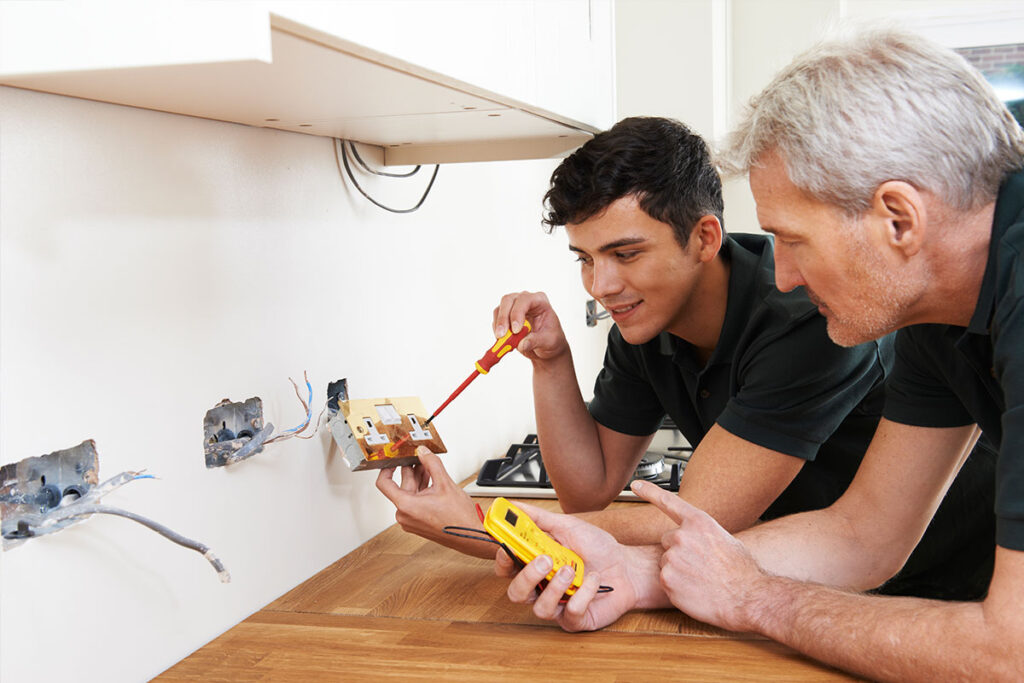
Replacing sockets and switches is a relatively simple DIY task, but you must always prioritize safety. Follow these steps for basic replacements:

Tools You’ll Need:

  • Voltage tester
  • Screwdrivers (flathead and Phillips)
  • Wire strippers
  • Electrical tape
  • Replacement switch or socket
  • Wire nuts

Step-by-Step Guide:

1. Turn Off the Power: Always turn off the power to the circuit you’ll be working on at the electrical panel. Use a voltage tester to confirm the power is off before starting.

2. Remove the Old Switch/Socket:

  • Unscrew the faceplate covering the socket or switch.
  • Remove the screws securing the device to the electrical box.
  • Carefully pull out the switch or socket and disconnect the wires.

3. Identify and Label the Wires:

  • You’ll typically have a hot wire (black), neutral wire (white), and ground wire (green or bare copper).
  • Label or take a photo to ensure proper reinstallation.

4. Install the New Socket or Switch:

  • Connect the wires to the new device, matching hot, neutral, and ground wires to the correct terminals. Tighten all screws firmly.
  • For sockets, make sure the wires are secured around the terminal screws clockwise for a better grip.

5. Reassemble:

  • Gently push the new device back into the electrical box and screw it in place.
  • Reattach the faceplate.

6. Test the New Device: Turn the power back on and test the switch or socket to ensure it works correctly.


4. Safety Tips for Sockets and Switches

When working with electricity, always prioritize safety. Here are essential tips to follow:

  • Never Overload Sockets: Plugging too many high-power devices into one outlet can cause overheating and electrical fires.
  • Use GFCI Outlets in Wet Areas: These outlets are essential for preventing electrical shock in bathrooms, kitchens, and outdoor areas.
  • Inspect Regularly: Regularly check your switches and sockets for wear and tear, loose connections, or any signs of burning.
  • Hire a Professional for Major Work: If you need to install new circuits, upgrade your electrical panel, or rewire part of your home, call a licensed electrician.
  • Use Tamper-Resistant Outlets: In homes with young children, tamper-resistant outlets prevent small objects from being inserted, reducing the risk of electrical shock.
5. Upgrading to Smart Sockets and Switches

With home automation becoming increasingly popular, upgrading to smart sockets and switches is a convenient way to make your home more efficient.

Benefits of Smart Sockets and Switches:

  • Remote Control: You can control lights and appliances from anywhere using a smartphone app.
  • Scheduling: Set timers for lights or appliances to turn on/off at specific times.
  • Energy Savings: Many smart devices allow you to monitor energy usage, helping reduce unnecessary electricity consumption.
  • Voice Commands: Integrate smart switches with systems like Amazon Alexa or Google Home for voice-activated control.

How to Upgrade:

  • Choose Compatible Products: Make sure the smart sockets and switches you purchase are compatible with your existing home automation system.
  • DIY or Hire a Pro: Simple smart switches and sockets can be installed DIY-style. However, for more complex systems or new installations, hiring a professional is recommended.

6. Maintaining Sockets and Switches

Maintaining your sockets and switches is key to avoiding larger electrical issues:

  • Clean Regularly: Dust and dirt can accumulate in sockets and switches, increasing the risk of overheating.
  • Tighten Screws: Check that sockets and switches are securely fastened to the wall to avoid loose connections.
  • Test GFCI Outlets Monthly: GFCI outlets have a “test” button. Press it monthly to ensure the outlet is still working properly.
Categories Electrical, Faulty wiring, Industrial, Lighting, Renovation, Repairing, Tripping

Surge Protection

In today’s tech-driven world, your home is filled with electronics and appliances that are vital to your daily life. From computers and smart TVs to kitchen appliances and HVAC systems, all these devices are vulnerable to one common threat: power surges. Without proper protection, a power surge can destroy your electronics in seconds, costing you thousands of dollars. This is where surge protection comes into play.

In this blog, we’ll discuss what surge protection is, why it’s important, the types of surge protectors available, and how to safeguard your home from power surges.

Categories Electrical, Faulty wiring, Industrial, Lighting, Renovation, Repairing, Tripping

Tripping issues

Electrical tripping is a common yet frustrating issue for homeowners. When a circuit breaker trips, it cuts off the electrical supply to certain parts of your home, leaving you in the dark—sometimes literally. While an occasional trip may not seem like a big deal, frequent tripping is a sign of a deeper problem that needs attention.

In this blog, we’ll explore the main causes of circuit breaker trips, how to diagnose the issue, and what you can do to prevent it from happening again.


What Does It Mean When a Circuit Breaker Trips?

A circuit breaker is designed to protect your home from electrical dangers by cutting off the flow of electricity when a problem occurs. When a breaker trips, it is doing its job to prevent overheating, electrical fires, or damage to your appliances. However, frequent or unexpected tripping could signal an underlying problem with your electrical system.


Common Causes of Circuit Breaker Tripping

There are several reasons why a breaker might trip, ranging from simple overloads to serious wiring issues. Understanding these causes can help you diagnose and fix the problem.

1. Circuit Overload

A circuit overload happens when too many electrical devices are plugged into a single circuit, drawing more current than the circuit can safely handle. The breaker trips to prevent overheating, which could otherwise lead to damaged appliances or even a fire.

Signs of an Overloaded Circuit:

  • Breaker trips when multiple devices are running simultaneously (e.g., vacuum cleaner, microwave, and TV).
  • Flickering lights when certain appliances are turned on.
  • Warm or hot outlets.

Solution:

  • Redistribute Devices: Unplug some devices and redistribute them across different circuits to avoid overloading one.
  • Upgrade Circuit Capacity: If your electrical demands have grown, consider upgrading your circuits to handle higher loads.

2. Short Circuit

A short circuit occurs when a hot wire touches a neutral wire, causing a large amount of current to flow through the circuit unexpectedly. This sudden surge in electricity triggers the breaker. Short circuits are dangerous and can cause damage to the wiring or even start a fire.

Signs of a Short Circuit:

  • A burning smell coming from outlets or switches.
  • Blackened or burnt areas around the breaker, outlet, or wiring.
  • Immediate tripping after resetting the breaker.

Solution:

  • Inspect for Damage: Look for signs of melted insulation, scorched outlets, or faulty wiring.
  • Call an Electrician: Short circuits are serious issues. If you suspect a short circuit, it’s best to contact a licensed electrician to inspect and repair the faulty wiring.

3. Ground Fault

A ground fault happens when a hot wire comes into contact with a grounded surface (like a metal electrical box or water). Like short circuits, ground faults can cause breakers to trip immediately, and they pose serious safety risks, especially in areas like kitchens or bathrooms where moisture is present.

Signs of a Ground Fault:

  • Breaker trips frequently, especially in damp areas like kitchens, bathrooms, or outdoor outlets.
  • GFCI outlets trip regularly in areas prone to moisture.

Solution:

  • Use GFCI Outlets: Ground Fault Circuit Interrupter (GFCI) outlets are designed to shut off power quickly in case of a ground fault, preventing shocks and reducing the risk of a fire.
  • Inspect for Moisture: Check for any signs of water leakage or moisture around outlets and wiring.
  • Hire a Professional: If you suspect a ground fault, it’s advisable to consult an electrician to check and repair the faulty connections.

4. Arc Fault

An arc fault occurs when electricity jumps between loose, damaged, or corroded wires, creating a high-temperature electrical discharge known as an arc. Arc faults are dangerous because they can ignite nearby materials, leading to fires. Arc Fault Circuit Interrupters (AFCIs) are designed to detect these faults and shut off the circuit before a fire can start.

Signs of an Arc Fault:

  • Breaker trips unexpectedly with no apparent cause.
  • Humming or buzzing sounds near outlets or electrical panels.
  • Burning smell near switches or outlets.
  • Scorch marks around electrical outlets.

Solution:

  • Install AFCI Breakers: Consider installing AFCI breakers to detect and protect against arc faults.
  • Replace Damaged Wires: Have an electrician inspect and replace any damaged, loose, or corroded wiring that may be causing arcs.

5. Faulty Appliances

Sometimes, the issue isn’t with your electrical system but with the appliance itself. A malfunctioning appliance can cause surges or short circuits, leading to frequent breaker trips.

Signs of Faulty Appliances:

  • Breaker trips immediately after turning on a specific device.
  • Sparks or unusual noises when plugging in or operating an appliance.

Solution:

  • Test the Appliance: Unplug the appliance and try resetting the breaker. If the breaker stays on, the appliance may be the culprit.
  • Repair or Replace the Appliance: If a specific device is causing trips, have it repaired or replaced to avoid future issues.

6. Old or Worn-Out Breakers

Over time, circuit breakers can wear out and fail to function properly. A breaker that trips without cause or won’t reset may simply need to be replaced.

Signs of a Faulty Breaker:

  • Breaker trips frequently, even under light electrical loads.
  • Breaker refuses to reset, or resets but trips again almost immediately.
  • Physical damage or wear on the breaker.

Solution:

  • Replace the Breaker: If the breaker is worn out, it may no longer function correctly. Replacing the faulty breaker can restore proper function to the circuit.

How to Troubleshoot Tripping Breakers

Here’s a step-by-step guide to diagnosing and troubleshooting tripping breakers:

1. Identify the Affected Circuit

Check the circuit breaker panel to find which breaker has tripped. Each breaker should be labeled to indicate which part of the house it powers. If you can’t find a label, note which outlets or lights have lost power.

2. Reset the Breaker

Once you’ve located the tripped breaker, flip it to the “off” position, then back to the “on” position to reset it. If it immediately trips again, the issue may be more severe (e.g., a short circuit, ground fault, or faulty breaker).

3. Unplug Devices

Unplug everything connected to the affected circuit and try resetting the breaker again. If the breaker stays on, the issue may be with one of the appliances. Plug devices back in one at a time to see if a specific device causes the trip.

4. Inspect Wiring and Outlets

If the breaker still trips with no devices plugged in, inspect outlets and wiring for signs of damage or overheating. Pay special attention to any scorch marks, frayed wires, or burning smells.

5. Call a Professional

If you’re unable to resolve the issue, or if you suspect a serious electrical fault like a short circuit or ground fault, call a licensed electrician. Electrical issues can pose significant risks, and professional help is always the safest option for complex problems.


How to Prevent Circuit Breaker Trips

While some breaker trips are unavoidable, there are steps you can take to reduce the likelihood of frequent trips:

1. Avoid Overloading Circuits

Spread out your electrical load by using different outlets or circuits for high-wattage devices like air conditioners, microwaves, or heaters.

2. Upgrade Your Electrical Panel

If your home’s electrical system is outdated or struggling to keep up with modern electrical demands, consider upgrading your electrical panel or adding new circuits to distribute the load.

3. Install GFCI and AFCI Breakers

In areas prone to moisture or where arc faults are likely, install GFCI and AFCI breakers to prevent trips and ensure safety.

4. Regularly Inspect Your Wiring

Have your home’s wiring inspected regularly, especially in older homes, to ensure everything is up to code and functioning correctly.

5. Use Surge Protectors

Protect your appliances and circuits from power surges by using surge protectors. They prevent sudden spikes in voltage from damaging your devices or tripping the breaker.

Seraphinite AcceleratorOptimized by Seraphinite Accelerator
Turns on site high speed to be attractive for people and search engines.